


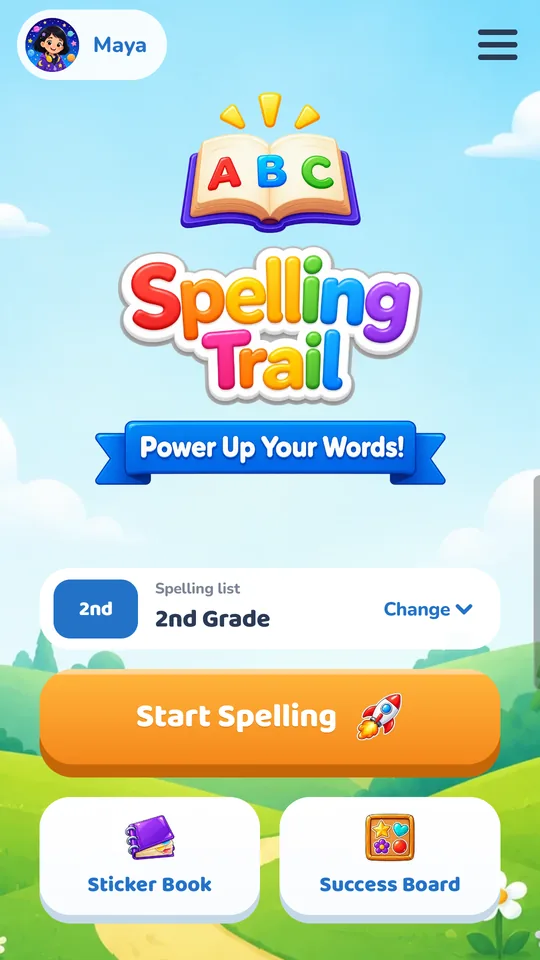
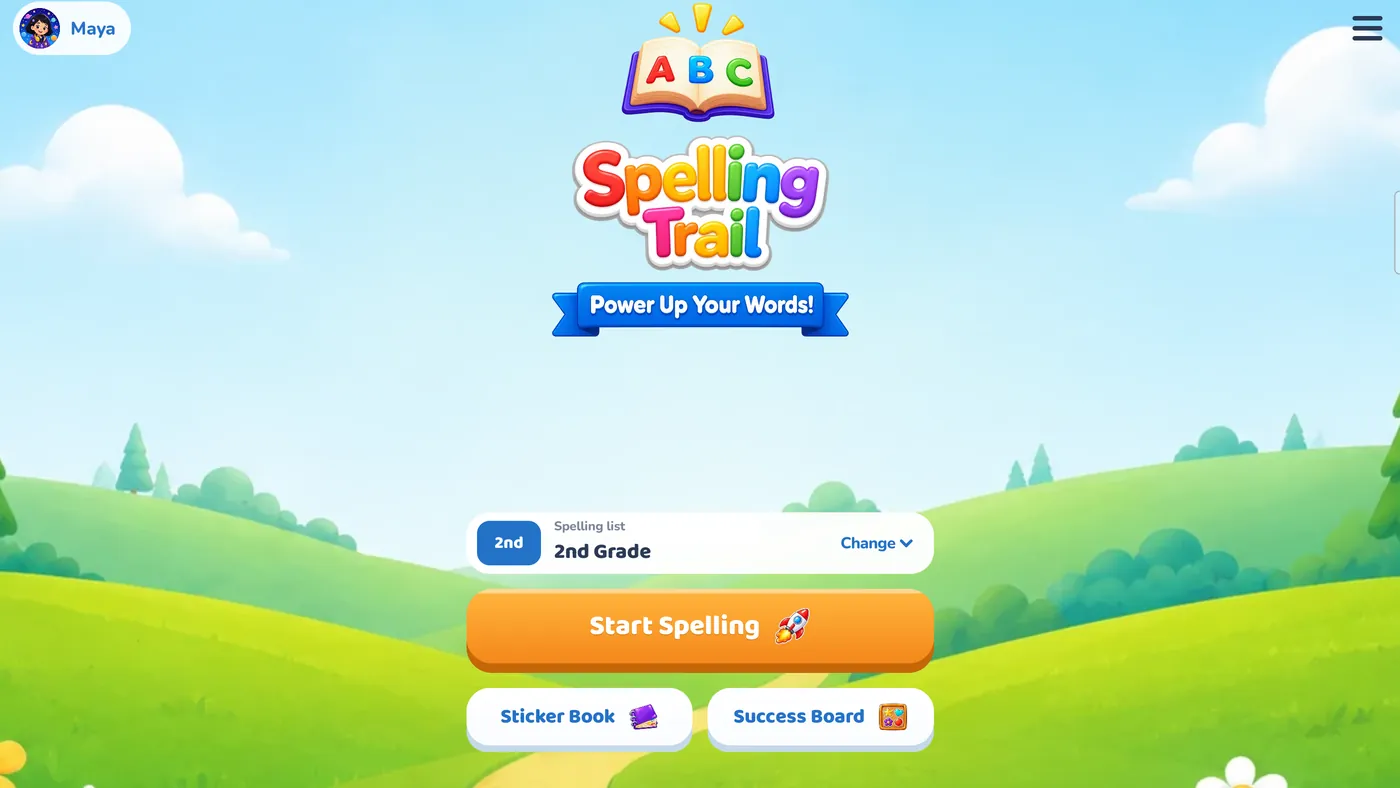
Spelling practice for kids in kindergarten through 5th grade. Children hear a word, build it letter by letter, and collect stickers for their very own Sticker Book along the way.
Free to start. For iPhone, iPad, and Android phones and tablets.


How it works
Hear it. Build it. Celebrate it.
Short, happy rounds your child can play on their own, while they practice the words they will meet most in their reading.
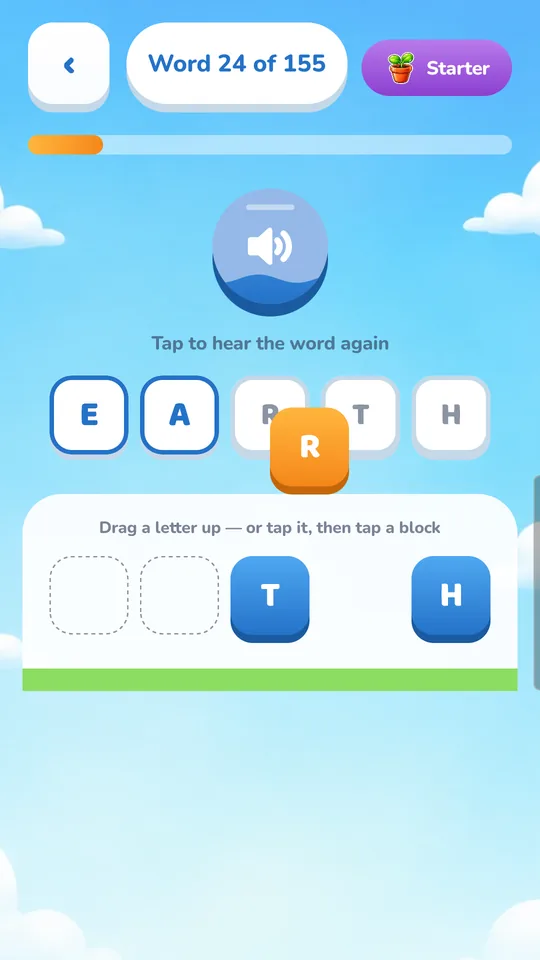
Hear the word
Every word is read aloud, and each letter can be spoken as it is placed. Children who are not reading yet can still play.
Build it letter by letter
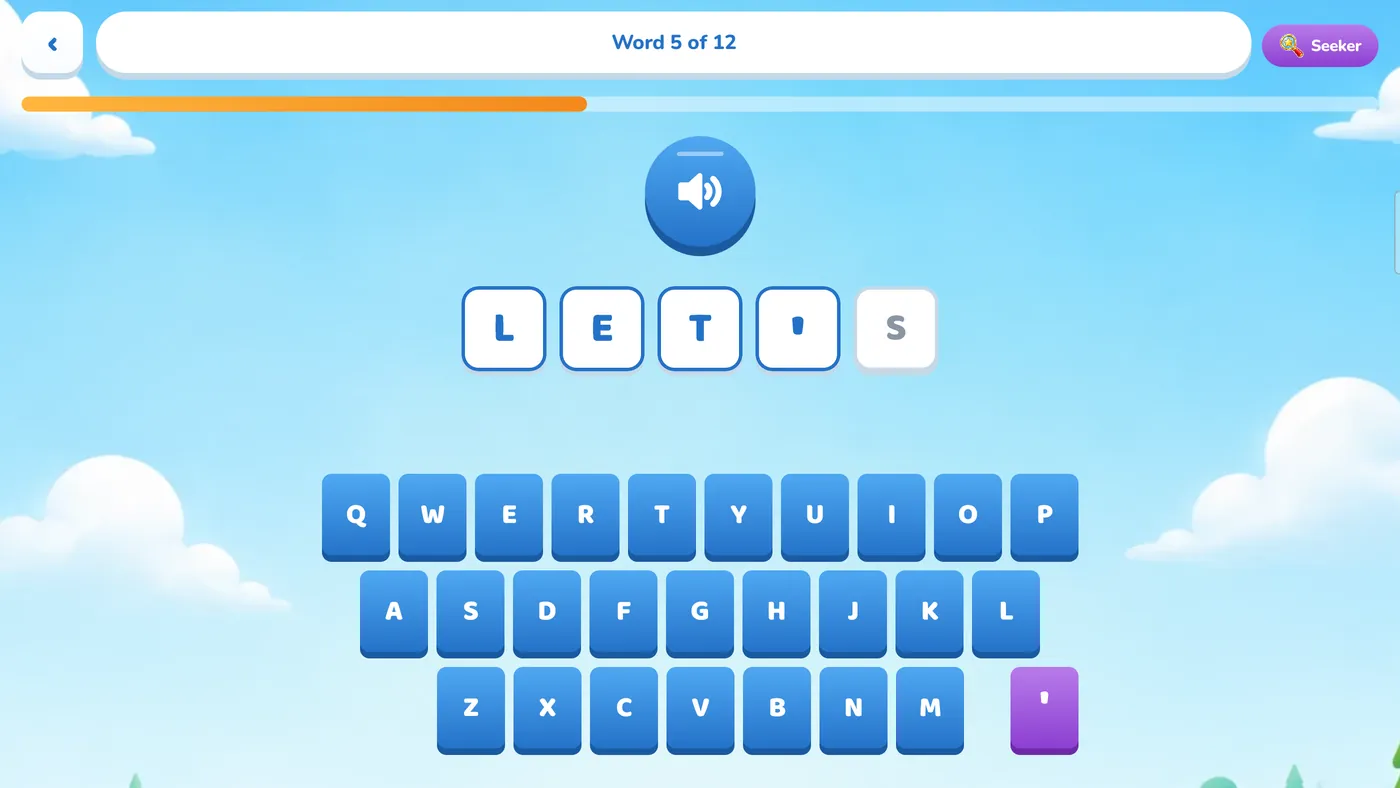
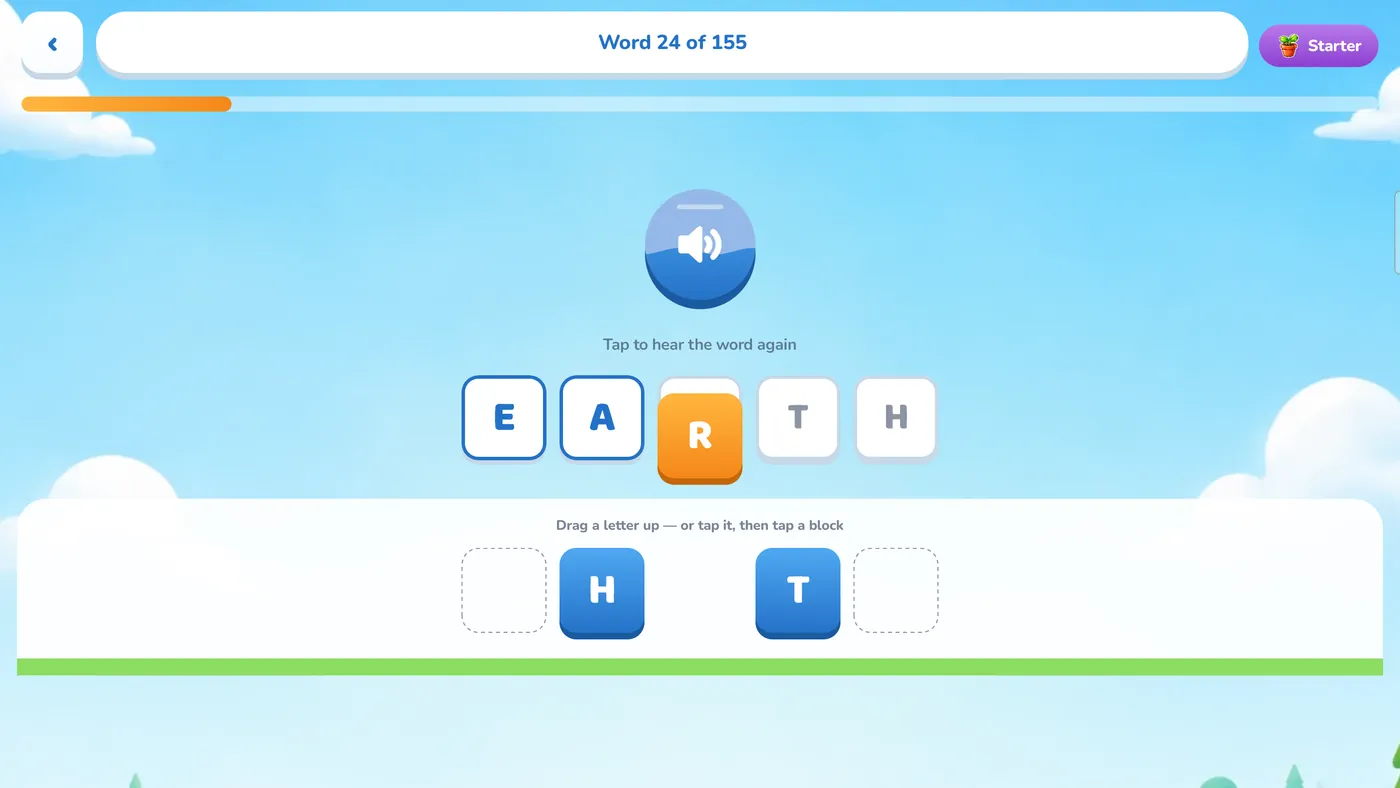
Drag tiles or tap a keyboard to spell it out. If your child gets stuck, a gentle hint steps in, and a wrong answer never scolds.
Collect stickers & stars
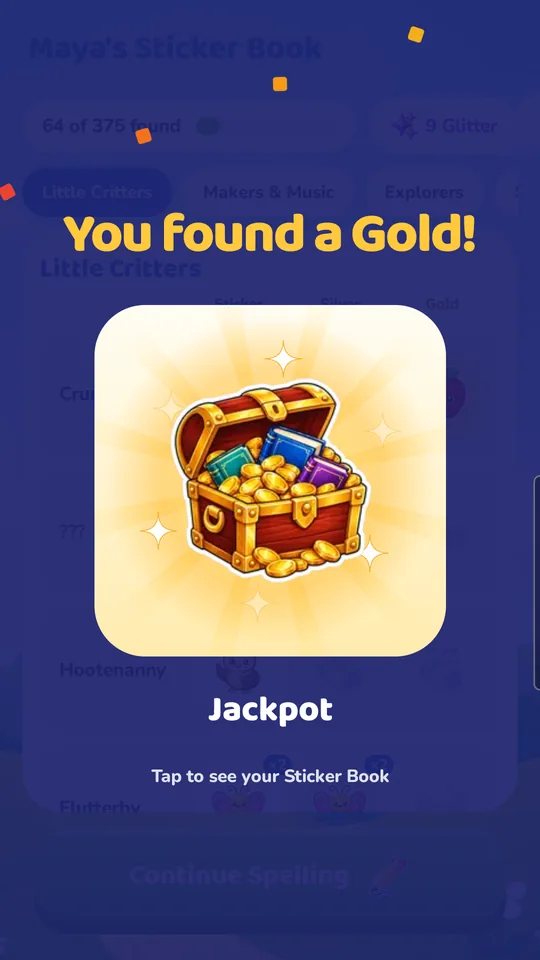
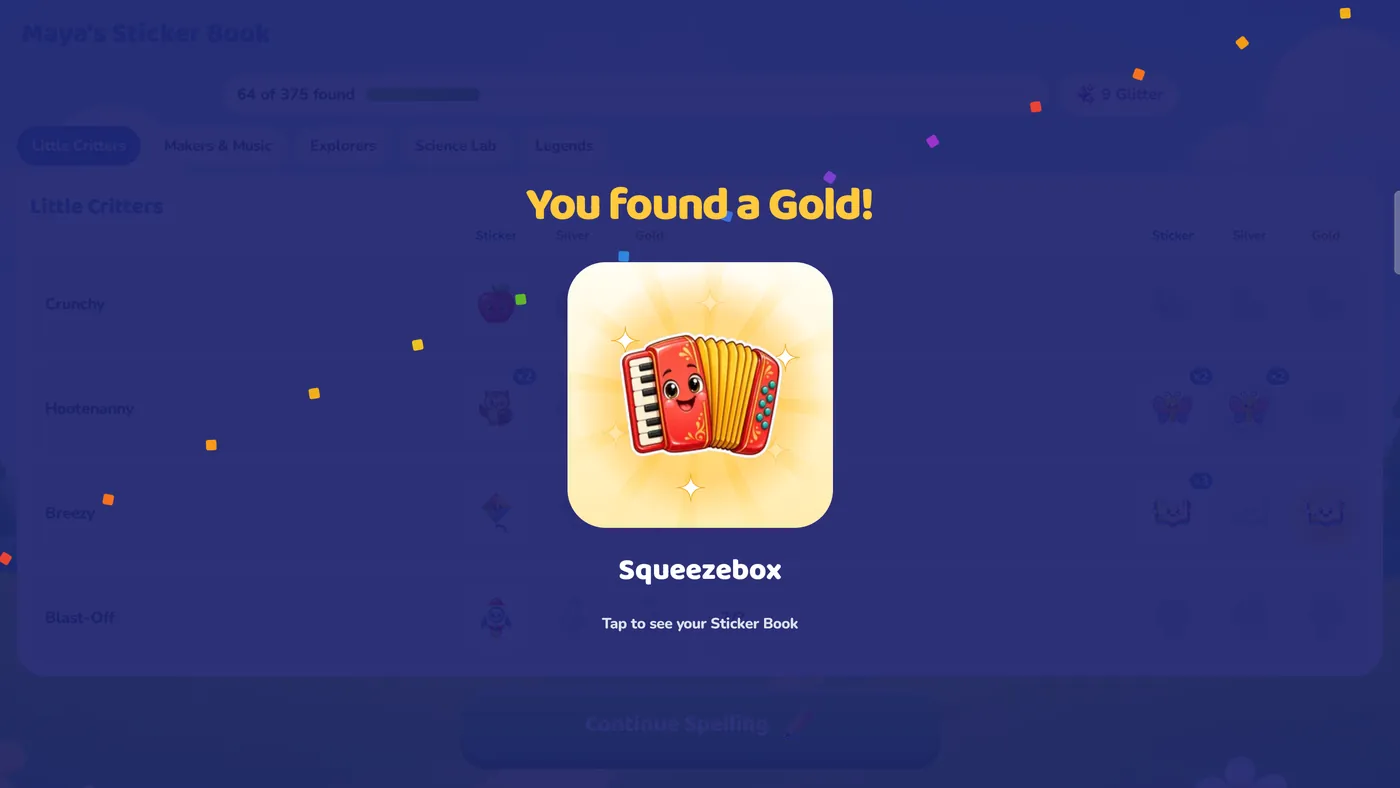
Every ten words earns a sticker for their Sticker Book, and every word earns Glitter. Each finished word list earns one to three stars.


Learn at the right level
Four game modes that grow with your child
Your child starts with plenty of help and takes it away as their confidence grows. That is the crawl, walk, run idea in action.
-
Crawl

Starter
Drag letter tiles onto matching letter shapes. The shapes show the way, so even the youngest spellers succeed.
-
Walk

Seeker
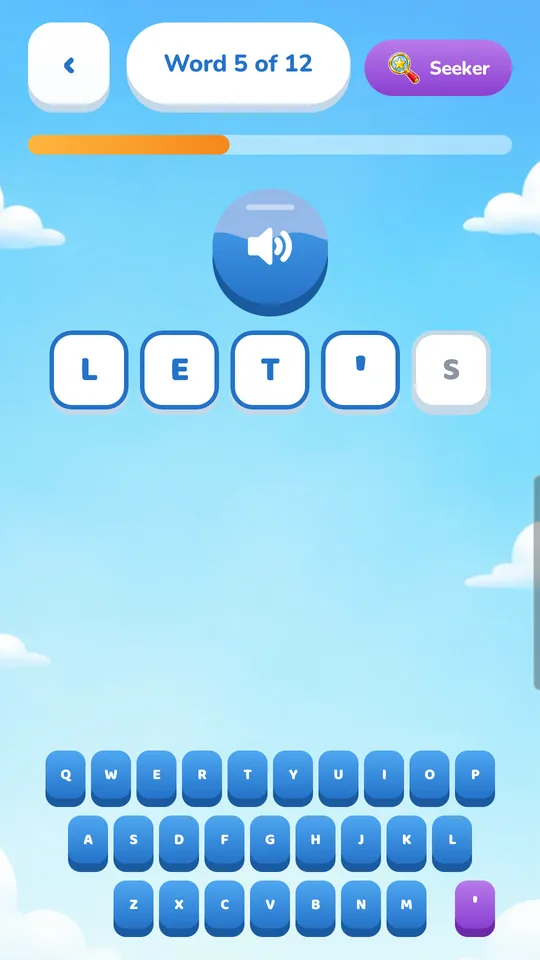
Type the word on a big, friendly keyboard, with letter shapes as a guide.
-
Walk

Caster
Listen to the word and drag the letters into place by ear. The shapes are gone now.
-
Run

Master
Listen, remember and type every letter on their own. This is real spelling-test practice.
Words that matter, sorted by grade
Every grade comes with a word list of high-frequency sight words, the words children see most often in their reading. There are over 900 words across five grade lists, from K/1st through 5th grade.
- Words are read aloud, in slower, normal or faster reading speed
- Gentle hints nudge first and only help more if your child stays stuck
- Big buttons and simple screens built for young hands
For grown-ups
Practice their real spelling list
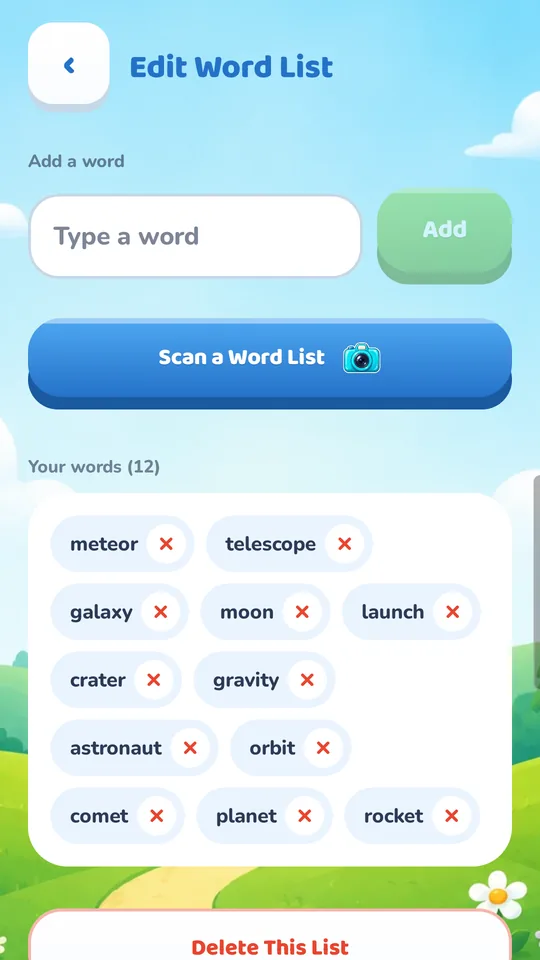
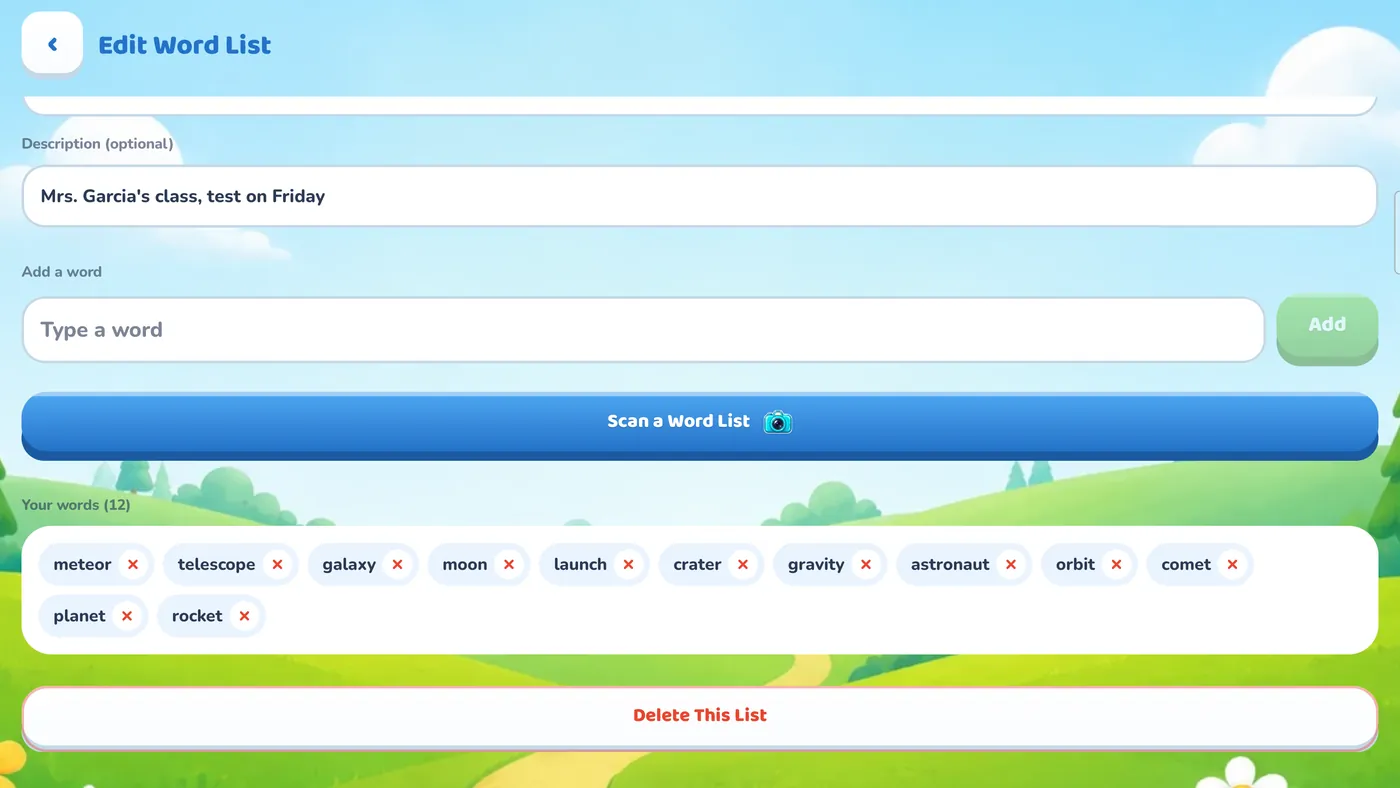
Grown-ups can make word lists of their own, so your child can practice this week's spelling test from school.
In the full version, just take a photo of the handout and Spelling Trail reads the words off the page for you, right on the device. The photo is never uploaded.
See how they are doing
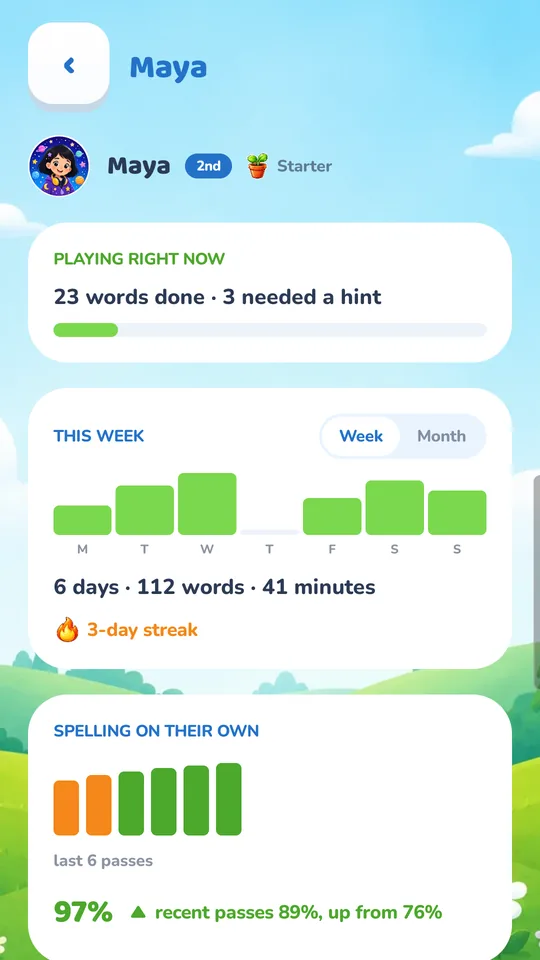
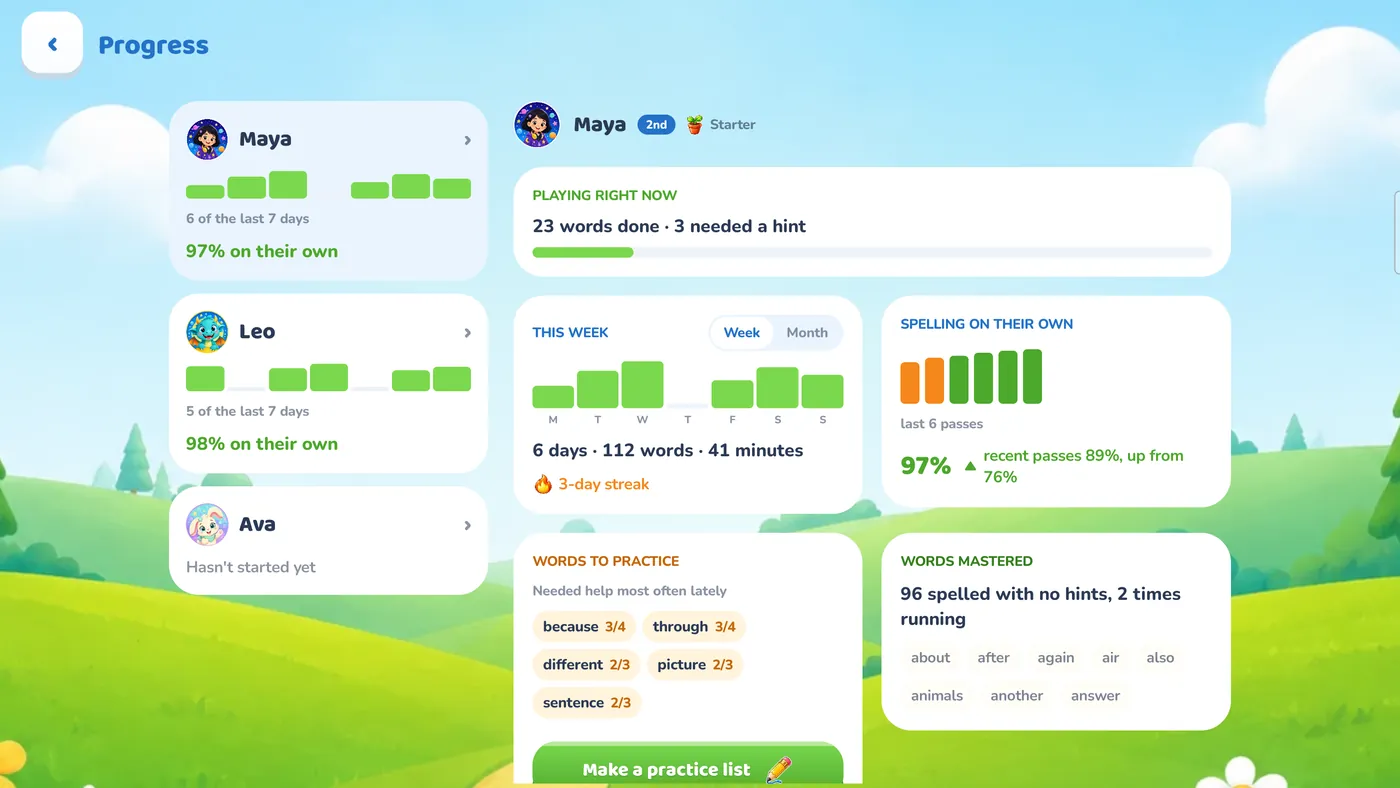
A progress screen made for parents and teachers
- See which days your child practiced
- See whether they are improving over time
- Find the words that keep tripping them up, and the ones they have mastered
- Turn the tricky words into a practice list in one step
Motivation that feels like play
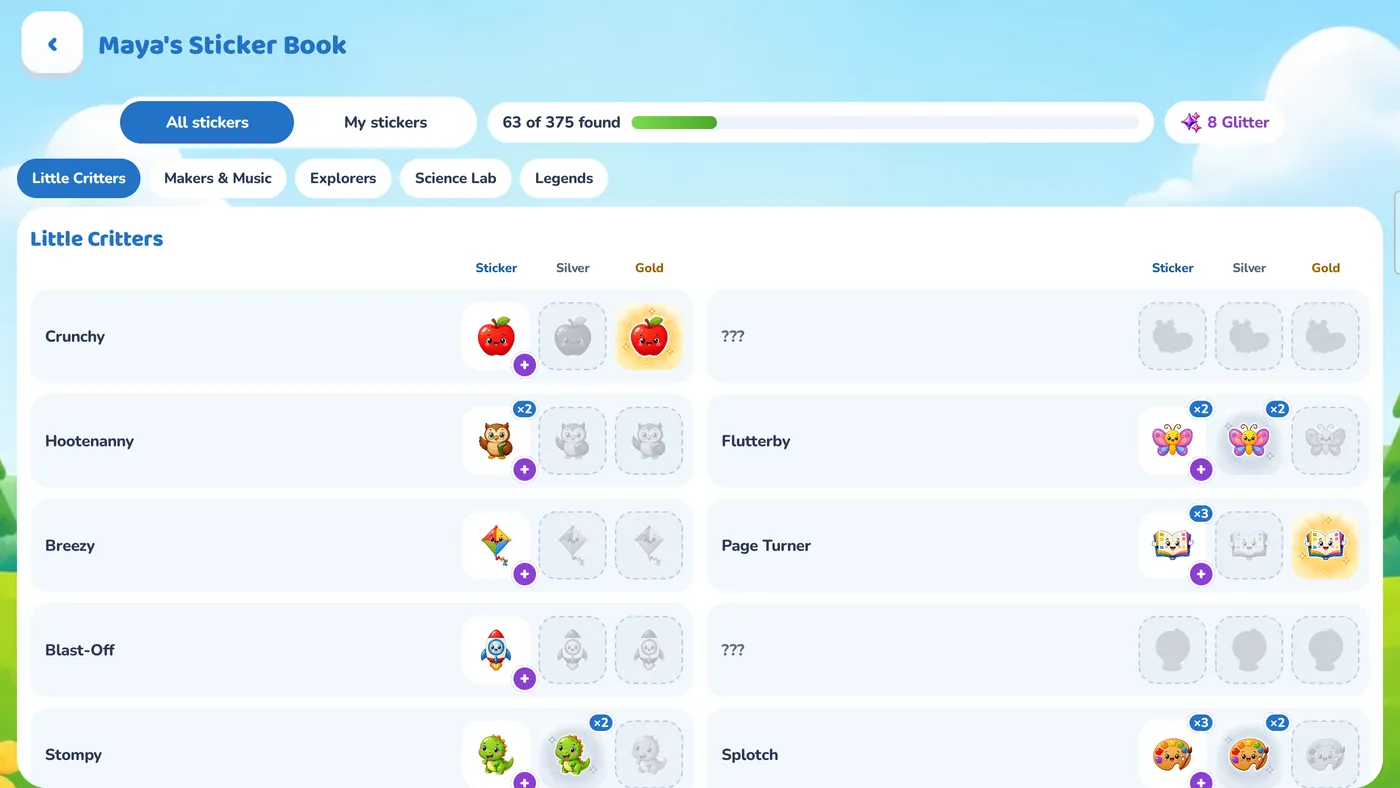
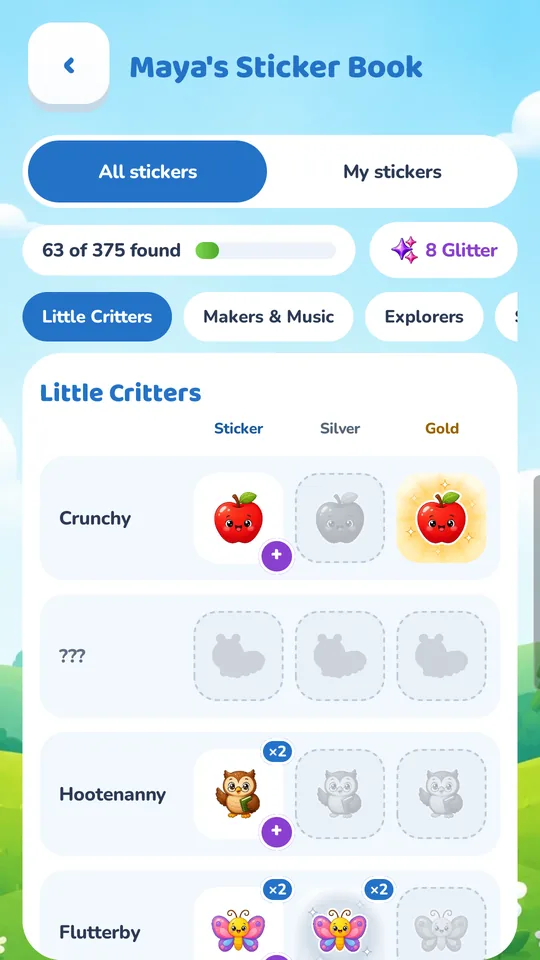
A Sticker Book to fill
Every ten words earns a sticker, and there are 125 to collect, each with its own name. Some turn up as shiny Silver or Gold.
- The Sticker Book shows every sticker, or just the ones your child has found
- Every finished word earns Glitter, which buys another copy of a sticker they have already found, even a Silver or a Gold
- Each finished word list earns one to three stars, and a history screen shows every list they have completed


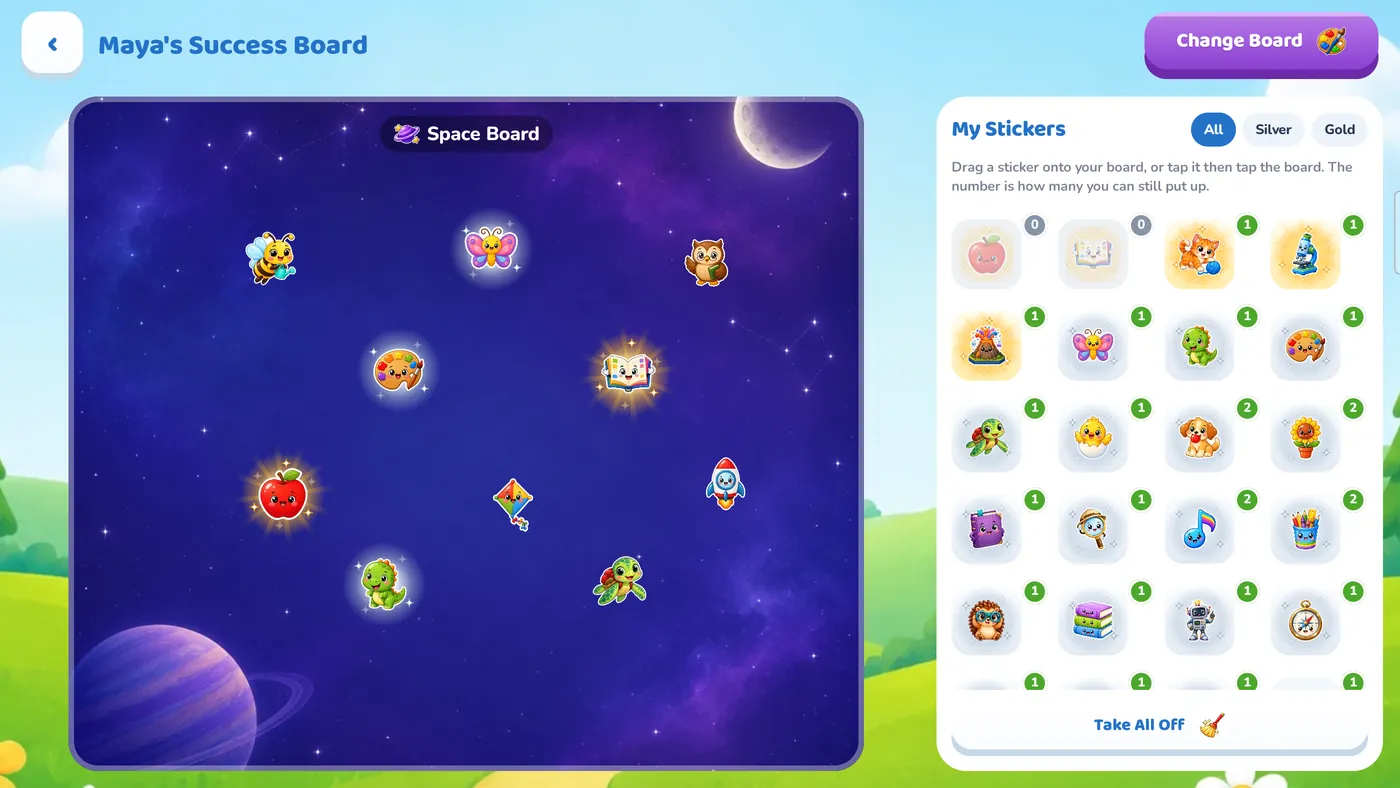
Their own Success Board
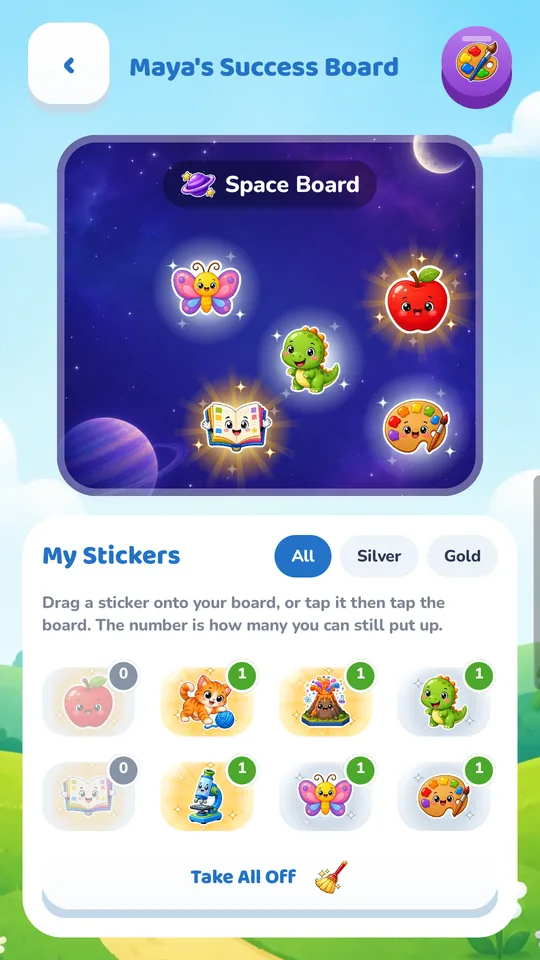
Children choose which stickers from their collection go up on their Success Board. In the full version they can pick from 30 painted boards, and move or take down stickers any time.
Grown-ups decide when stickers appear. Sticker Breaks in Settings hands them out during the list, all together at the end, or not at all.
Private by design
Your child's information stays on your device
Spelling Trail never connects to the internet, and it never sends your child's name or progress anywhere.
No ads
No ads, no analytics and no tracking.
No accounts
No sign-in. A first name or nickname is all a profile needs.
Grown-ups only
Purchases and moving a child to another device sit behind a grown-ups-only question.
Free to start
Try it free. Unlock everything with one purchase.
The free version is a complete way to practice. One single purchase unlocks the full version, with no subscription.
| What's included | Free | Full version One-time purchase |
|---|---|---|
| Game modes | All 4 | All 4 |
| Child profiles | Unlimited | Unlimited |
| Grade word lists | First 20 words of every grade | Over 900 words across all 5 grades |
| Your own word lists | 1 list, up to 20 words | Unlimited lists and words, and add words to any grade list |
| Scan a spelling list from a photo | — | ✓ |
| Stickers | 20 starter stickers, in Sticker, Silver and Gold | All 125, in Sticker, Silver and Gold |
| Sticker Book and Glitter | ✓ | ✓ |
| Success Boards | Paper Success Board | 30 painted boards; move or take down stickers any time |
| Avatars | 4 | All 40 |
| Reading voices | 1 | All 3 |
| Progress screen, reading speed, move to another device | ✓ | ✓ |


Take a look
Screenshots
Parent FAQ
Questions parents ask
What ages is Spelling Trail for?
Kindergarten through 5th grade. There are word lists for K/1st, 2nd, 3rd, 4th and 5th grade, and four game modes, so a child who is just starting and a child who is ready for spelling tests can both play at the right level.
Does my child need to be able to read?
No. Words are read aloud, and in Starter mode the letter shapes show where each tile goes. Screens are built so a young child does not have to read to move ahead.
Does it need the internet? Is my child's data collected?
Spelling Trail never connects to the internet. There are no ads, analytics, accounts or tracking, and your child's name and progress stay on your device. Read the privacy policy for the details.
Can my child practice the words from their class?
Yes. Grown-ups can make a word list of their own and type in this week's words. In the full version you can add as many lists and words as you like, or scan the handout with a photo.
How much does it cost?
Spelling Trail is free to download and the free version is fully playable. A single purchase unlocks the full version, and Google Play or the App Store shows its price before you buy. There is no subscription, and the purchase screen is behind a grown-ups-only question.
Can I turn the stickers off, or save them for the end?
Yes. Grown-ups choose when stickers appear with Sticker Breaks in Settings: during the list, all together at the end, or not at all. Changing it sits behind the grown-ups-only question.
I have more than one child. Do I need to buy it twice?
No. Unlimited child profiles are included in both the free and full versions, and each child has their own avatar, word list and progress.
We got a new tablet. Can progress move with my child?
Yes. “Move to Another Device” shows a code on one screen, and you take a photo of it with the other device. Nothing is sent over the internet.
Is it available on iPhone and iPad?
Yes. Spelling Trail is on the App Store for iPhone and iPad, and on Google Play for Android phones and tablets.
If we switch between Android and iPhone, does the full version come with us?
The full version belongs to the store it was bought from. A Google Play purchase unlocks it on Android devices signed in to that Google account, and an App Store purchase unlocks it on iPhones and iPads signed in to that Apple Account. Your child's progress can still move between any two devices with “Move to Another Device”.
Ready to power up your child's words?
Questions, feedback or trouble with the app? We are happy to help.